VisoMaster vs FaceFusion: Which Local Face Swap Tool?
VisoMaster Studio vs FaceFusion compared on interface, Mac and Windows setup, swap models, restorers, video workflow and hardware support.
VisoMaster Studio and FaceFusion both swap faces in images and video on your own computer, and they share many of the same open models. The practical differences are the interface (a native desktop window with per-face mapping versus a browser-based interface with a command line), how you install them, and which hardware they support. FaceFusion covers more hardware back ends and adds lip sync; VisoMaster Studio focuses on a desktop editing workflow built on VisoMaster Fusion.
This comparison uses FaceFusion 3.9.1 (source checked on 2026-10-12) and VisoMaster Studio 0.3.0.
Interface
FaceFusion runs as a local Python program. You start it from a terminal and use its Gradio interface in a web browser, or drive it entirely from the command line. Processing steps are "processors" you switch on and off (face swapper, face enhancer, lip syncer and so on), and a job system can queue and run work headless.
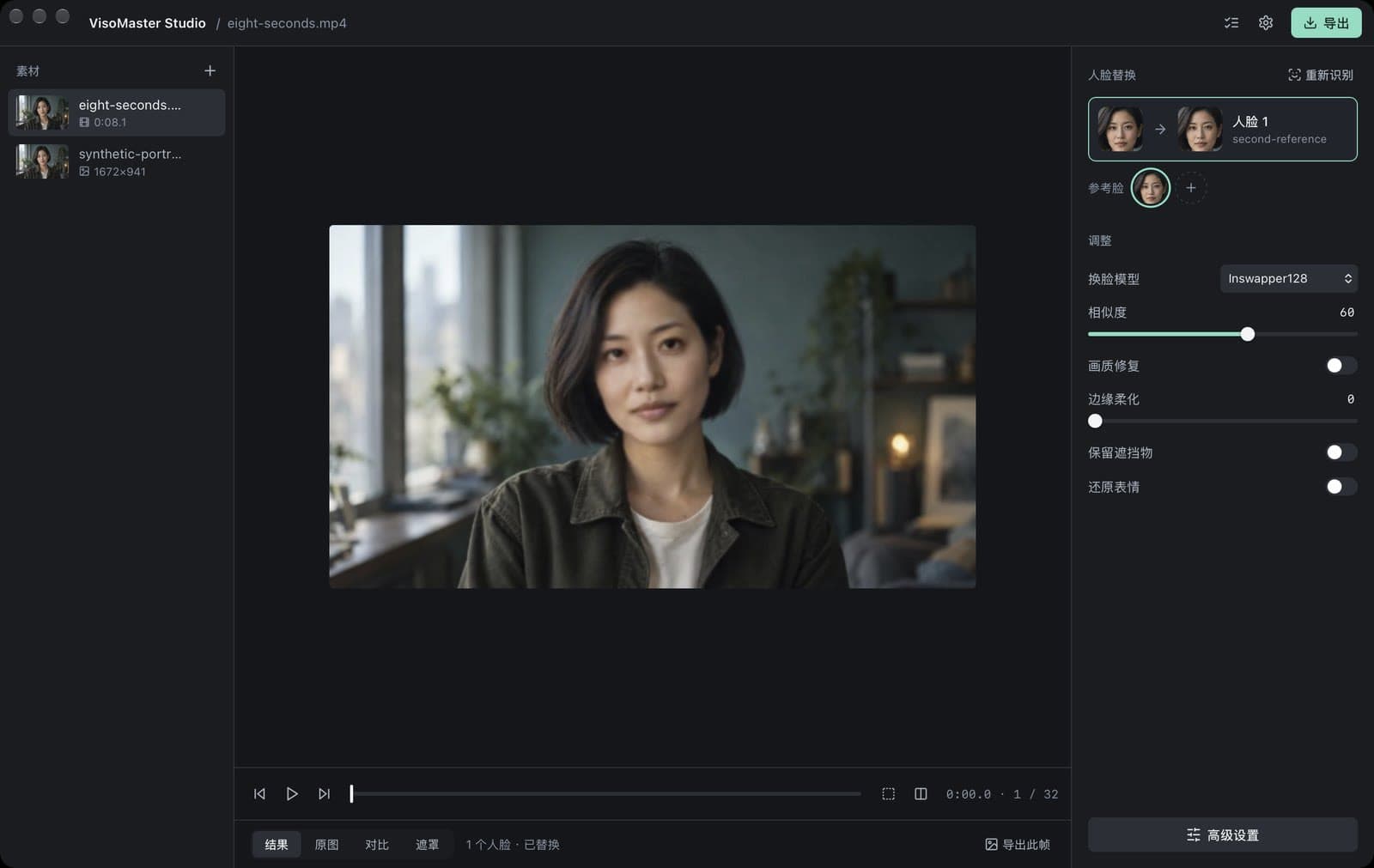
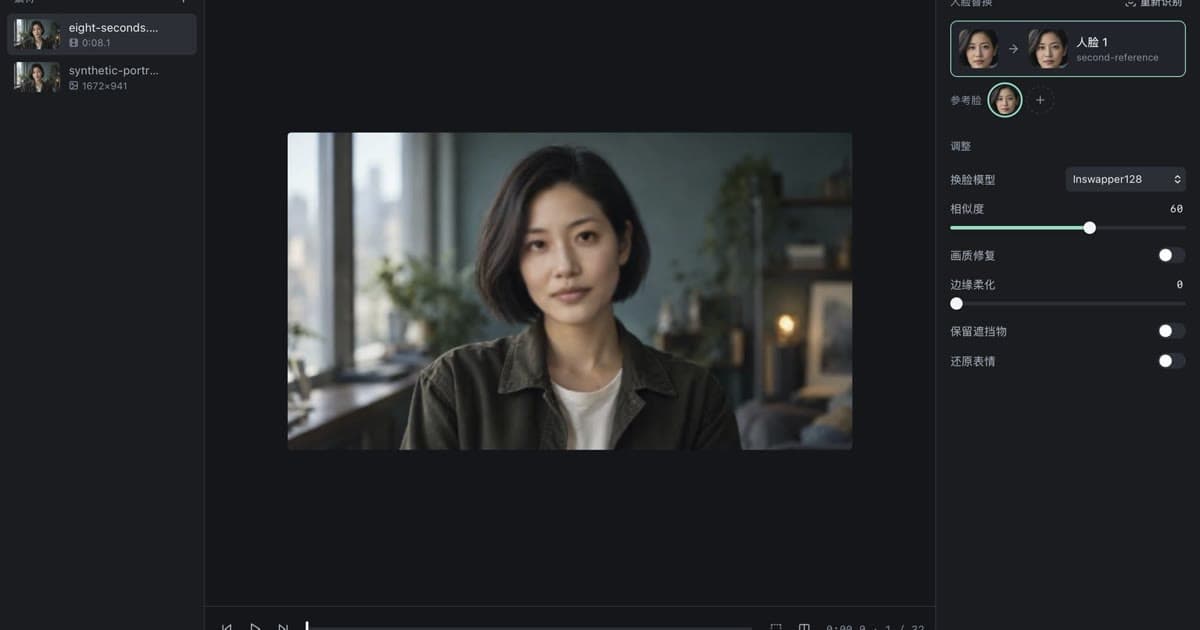
VisoMaster Studio is a desktop window (Tauri and React) with its processing engine running as a local background process. Media sits on the left, the preview in the centre and the faces on the right. Each detected face in the target gets its own reference face and its own settings, which is the workflow VisoMaster inherited from Rope. Six everyday adjustments are on screen; all 427 VisoMaster Fusion parameters are in Advanced settings, grouped and searchable. The interface text is currently in Chinese.
If you script batch jobs on a server, FaceFusion's command line is the better fit. If you prefer to scrub a video, map several people and compare with the original in one window, VisoMaster Studio is built for that.
Installing on Mac and Windows
FaceFusion from source needs Git, Python (Conda is recommended in its docs) and FFmpeg, then an install script that picks the ONNX Runtime build for your hardware (default/CoreML, CUDA, DirectML, OpenVINO, ROCm and others). The project's README says the manual installation needs technical skills and points to paid Windows and macOS installers sold on facefusion.io.
VisoMaster Studio is sold as a ready-to-run installer ($19.99, one purchase for all platforms) and its source is GPL-3.0:
- Mac with Apple Silicon: signed and notarized DMG, macOS 14 or later, CoreML or CPU.
- Mac with Intel: notarized DMG, macOS 14 or later (preview), CPU processing.
- Windows 10/11: a CPU installer and an NVIDIA CUDA portable package (both previews, not code-signed yet).
Both installers include the Python runtime and FFmpeg. Models are downloaded on first use from their official sources (base set about 469 MB). See the installation guide.
Feature comparison
| FaceFusion 3.9.1 | VisoMaster Studio 0.3.0 | |
|---|---|---|
| Interface | Browser UI (Gradio) and command line | Desktop window (Chinese text for now) |
| Setup | Manual (terminal) or paid installer | Paid installer; GPL-3.0 source |
| Hardware back ends | CUDA, TensorRT, CoreML, DirectML, OpenVINO, ROCm, MIGraphX, QNN, CPU | Apple Silicon CoreML or CPU; Intel Mac CPU; NVIDIA CUDA; CPU |
| Swap models | 14, including Inswapper, SimSwap, GHOST 1–3, HyperSwap, BlendSwap, UniFace, HiFiFace, AlphaFace | 10 plus DFM: Inswapper128, SimSwap512, GhostFace v1–v3, CSCS, AlphaFace, InStyleSwapper256 A–C |
| DeepFaceLive .dfm models | Yes (deep swapper, downloadable and custom) | Yes (import your own .dfm) |
| Face restorers | GFPGAN 1.2–1.4, CodeFormer, GPEN 256–2048, RestoreFormer++ | GFPGAN v1.4 and 1024, CodeFormer, GPEN 256–2048, RestoreFormer++, VQFR v2 |
| Per-face reference mapping | Reference face selection | Each target face mapped to its own reference, with its own settings |
| Expression | LivePortrait expression restorer, face editor, age modifier | LivePortrait expression restore, face editor, makeup, re-aging |
| Lip sync to audio | Yes (Wav2Lip, EDTalk) | No |
| Video tools | Trim, job queue | Ranges and joined segments, parameter markers, scan for frames where a face was lost, batch export |
| Webcam | Webcam mode (inline, UDP, v4l2) | Live mode with virtual-camera output |
| License | OpenRAIL-AS | GPL-3.0 (models keep their own licenses) |
Models
The two tools overlap heavily. FaceFusion has the larger swapper list, including HyperSwap and UniFace, which VisoMaster Studio does not offer. VisoMaster Studio adds CSCS, the InStyleSwapper256 variants and VQFR v2, and lets you blend a second swapper into the first. Both can run DeepFaceLive .dfm models, which are trained for one specific identity. For a closer look at the swap models in Studio, see face swap models compared.
For restoration, both offer GFPGAN, CodeFormer, GPEN and RestoreFormer++. Studio also lists VQFR v2 and lets you stack a second restorer. Whole-frame upscaling and colorization (Real-ESRGAN, DDColor, DeOldify) exist in both.
Video workflow
FaceFusion processes a target with the processors you enabled, with trim controls and a job queue for batch work.
VisoMaster Studio adds editing aids from VisoMaster Fusion:
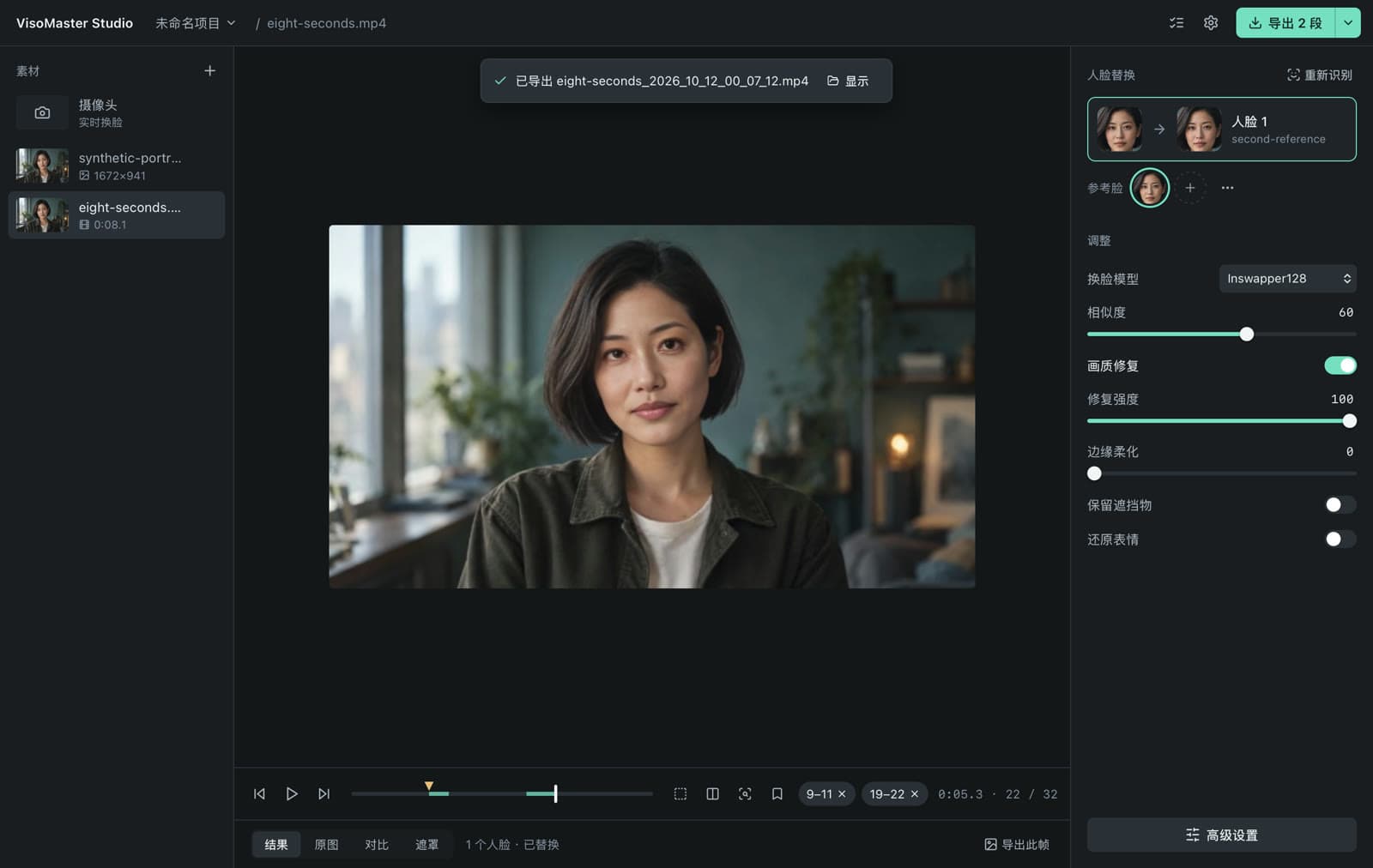
- Parameter markers. Set different settings from a given frame onward, for example a stronger mask when a hand crosses the face.
- Segments. Export a range, or several ranges joined into one file, with the audio kept.
- Issue scan. Find frames where a mapped face was not detected before you export.
- Several people in one clip. Map a different reference to each person and leave others untouched; see how to swap multiple faces in a video.
Where FaceFusion is the better choice
- You need lip sync to an audio track.
- You run AMD or Intel GPUs (DirectML, ROCm, OpenVINO) or Qualcomm devices.
- You want headless automation on a server through the command line.
- You want the widest swapper model list, including HyperSwap.
- You want an English interface today.
Where VisoMaster Studio is the better choice
- You want a desktop app with a single window instead of a browser tab.
- You work with several faces per video and want per-face references and settings.
- You need frame-accurate adjustments inside one clip (markers, segments, issue scan).
- You already use VisoMaster or Fusion: Studio opens Fusion workspace files and reads VisoMaster and Rope face embeddings.
Consent and acceptable use
Use either tool only with your own face or with faces you have explicit permission to use, label synthetic media, and follow local law. VisoMaster Studio's rules are in the acceptable use policy.
FAQ
Does FaceFusion run on Apple Silicon Macs?
Yes. FaceFusion supports CoreML on Apple Silicon. You either install it from source in a terminal or buy its macOS installer.
Can both tools use DeepFaceLive models?
Yes. FaceFusion's deep swapper downloads a set of .dfm models and also loads custom ones; VisoMaster Studio imports .dfm files you provide. See using DeepFaceLive DFM models.
Which one supports AMD graphics cards?
FaceFusion, through DirectML on Windows and ROCm on Linux. VisoMaster Studio does not have an AMD GPU build; on such machines it runs on the CPU.
Is VisoMaster Studio open source?
Yes. The desktop source is GPL-3.0, like VisoMaster and VisoMaster Fusion. The $19.99 purchase is the packaged installer.
Get the installers at visomaster.studio/download.
Author

Categories
More Posts
What Is VisoMaster Fusion? VisoMaster, Fusion and Studio
VisoMaster Fusion explained: how it grew from the original VisoMaster, what it adds, and how VisoMaster Studio packages it for Mac and Windows.
VisoMaster on Mac: Apple Silicon and Intel Setup Guide
Install and run VisoMaster Studio on a Mac: which DMG to pick, macOS 14, CoreML or CPU processing, first model download, data folders and logs.
Face Swap Models Compared: Inswapper, SimSwap, Ghost
Inswapper, SimSwap, GhostFace, CSCS, AlphaFace and InStyleSwapper compared: input size, recognition model, license and options in VisoMaster Studio.