What Is VisoMaster Fusion? VisoMaster, Fusion and Studio
VisoMaster Fusion explained: how it grew from the original VisoMaster, what it adds, and how VisoMaster Studio packages it for Mac and Windows.
VisoMaster Fusion is the community continuation of VisoMaster, a free and open-source (GPL-3.0) desktop app for face swapping and face editing in images, video and webcam feeds. It keeps the original VisoMaster workflow and roughly doubles its settings, from 201 to 427, with new models, masks, video tools and a job manager. VisoMaster Studio is a separate project that takes Fusion's processing code, version 3.12.3, and puts a new single-window interface and ready-to-run installers around it.
This article explains how the three relate, what each one added, and which one fits your setup.
A short history
- Rope. VisoMaster grew out of the community around Rope, Hillobar's GUI face swapper (github.com/Hillobar/Rope). One of VisoMaster's authors, argenspin, maintained Rope-Live, a Rope fork that added live streaming and DeepFaceLive model support, and VisoMaster ships a tool to convert old Rope face embeddings.
- VisoMaster. Released by argenspin and Alucard24 at github.com/visomaster/VisoMaster. The first release, v0.1.1, came out on 8 February 2025 and the last, v0.1.6, on 9 March 2025. It is a PySide6 (Qt) desktop app aimed at Windows with NVIDIA GPUs, with an automatic installer for that setup and a manual Conda install.
- VisoMaster Fusion. Hosted at github.com/VisoMasterFusion/VisoMaster-Fusion. Version 1.0.0 was released on 4 November 2025 and v3.12.3 on 29 August 2026. Its README credits the original authors and lists community mods it builds on: a job manager, an "experimental" mod, VR180 and ReF-LDM support, performance work and a portable launcher.
- VisoMaster Studio. Version 0.3.0, released on 12 October 2026, is built on Fusion v3.12.3. It is not made by the VisoMaster or Fusion maintainers. For how VisoMaster compares with the Rope forks, see VisoMaster vs Rope Pearl.
What the original VisoMaster already had
Many features people associate with Fusion were already in VisoMaster v0.1.6:
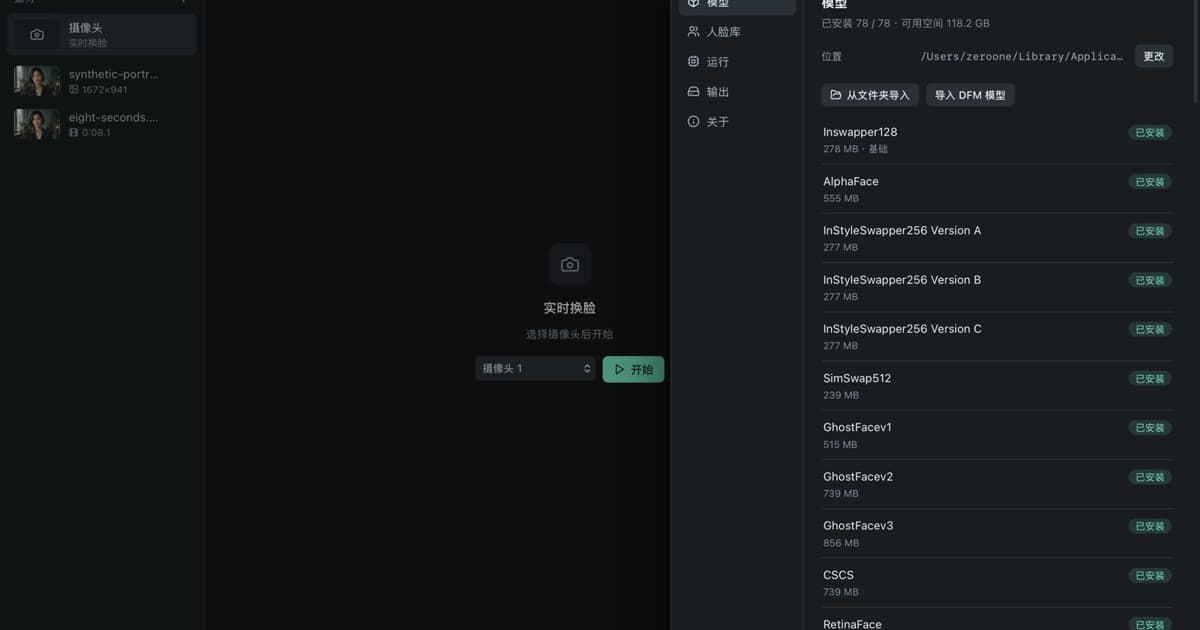
- Several swap models: Inswapper128, InStyleSwapper256 A/B/C, SimSwap512, GhostFace v1–v3, CSCS, and DeepFaceLive (.dfm) models.
- Occlusion and XSeg masks, a per-region face parser, and a CLIP text mask.
- A basic expression restorer and a LivePortrait-based face editor with makeup controls.
- Face restorers, whole-frame upscalers and colorization models.
- Saved face embeddings, several reference photos per person, video markers, webcam input with virtual-camera output, and CUDA and TensorRT back ends.
Its settings panels held 201 parameters.
What Fusion adds
Fusion v3.12.3 has 427 parameters. 181 keep their original names, 20 were renamed, split or removed, and 246 are new. The main additions, from Fusion's own settings files and manual:
Swapping and restoration
- AlphaFace as a new swapper, an Auto resolution option, and a secondary swapper blended into the first.
- GFPGAN 1024 as an additional restorer, automatic restorer strength, and an option to run the second restorer at the end of the pipeline.
- The ReF-LDM denoiser, with single-step or DDIM modes at three points in the pipeline.
Expression and editing
- The expression restorer grows from a basic version into Simple, Advanced and Recast modes, with camera gaze and automatic mouth expression.
- Face re-aging and face shaping (slimmer face or chin, forehead, face length).
Masks, texture and color
- Profile-angle mask, Mouth Fit and Align, an XSeg mouth mask, and separate blur for each side of the border mask.
- Texture transfer, ending color transfer, and new automatic color transfer methods (CDF histogram, Reinhard, AdaIN).
Detection
- Two VR180 detectors, three more landmark models, keypoint smoothing, and ByteTrack face tracking.
Video, output and batches
- Record start and end markers, so one render can contain several segments.
- An issue scan that finds frames where a face was missed or not matched, with tools to drop or restore frames.
- A job manager for saving workspaces as jobs and processing them in a batch, plus presets.
- VR180 and 360-degree video mode.
- An output frame-rate cap, input resizing, output folder rules, and FFmpeg encoder options (NVENC presets, HDR encoding).
Platform and setup
- A portable Windows launcher that installs Python, CUDA, TensorRT, FFmpeg and models, with update, repair, model check, ONNX simplification and version rollback tools.
- Execution providers detected per machine instead of a fixed list, and, in v3.12.3, a macOS port running on the CPU or CoreML. Its documentation states that the Apple Silicon path was untested, since the port was developed on an Intel Mac.
How Fusion processes a frame
Fusion's manual describes a fixed order, which VisoMaster Studio keeps:
- Face detection (and tracking, if enabled)
- Face swap
- Masks, compositing the swapped face back into the frame
- Denoiser before restorers (optional)
- First face restorer (optional)
- Denoiser after the first restorer (optional)
- Expression restorer (optional, position adjustable)
- Second face restorer (optional, can move to the end)
- Denoiser after restorers (optional)
- Face editor and makeup
- Frame enhancer: whole-frame upscaling or colorization (optional)
What VisoMaster Studio changes
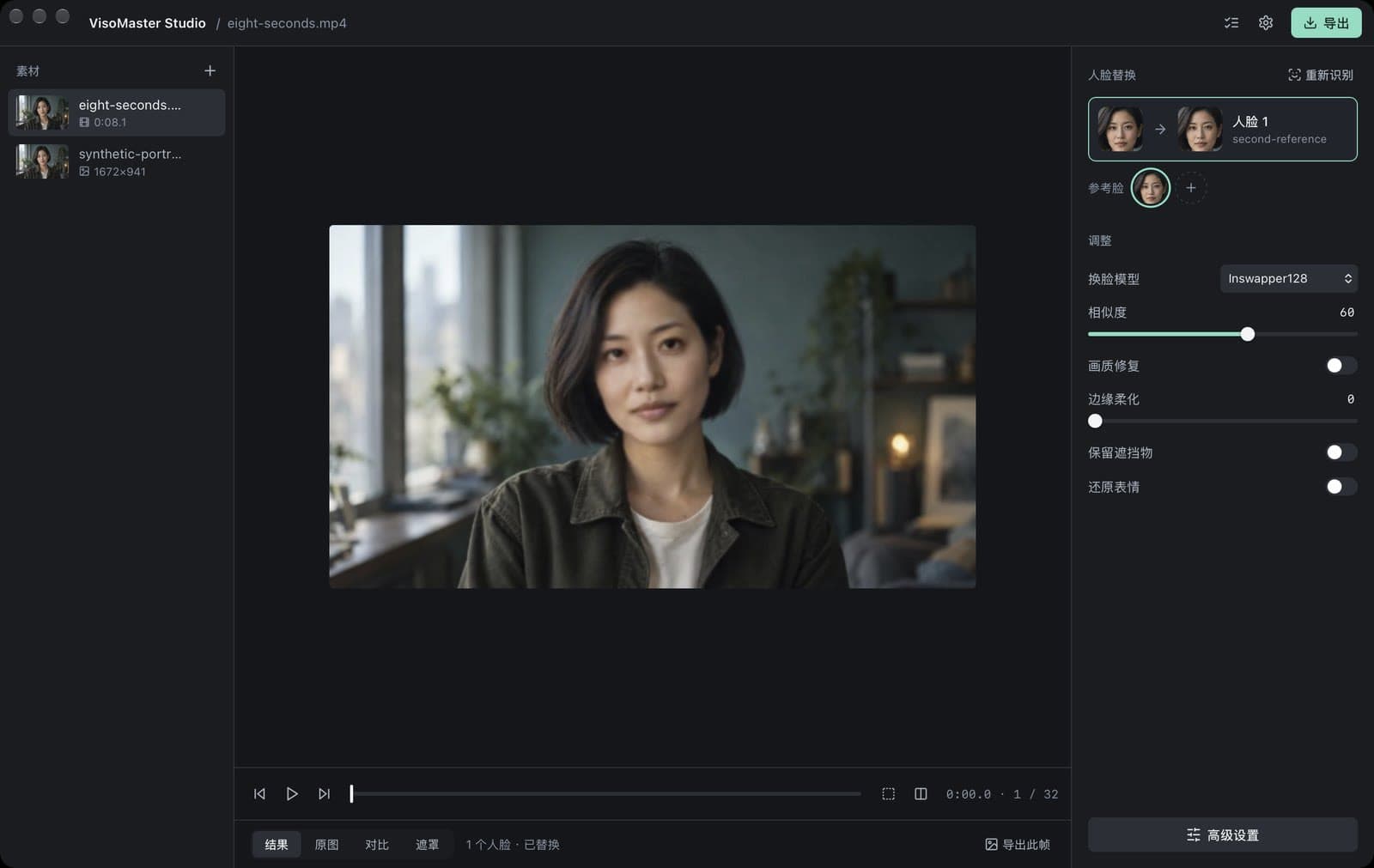
Studio reuses Fusion's processors and its 427 parameters. The changes are around them:
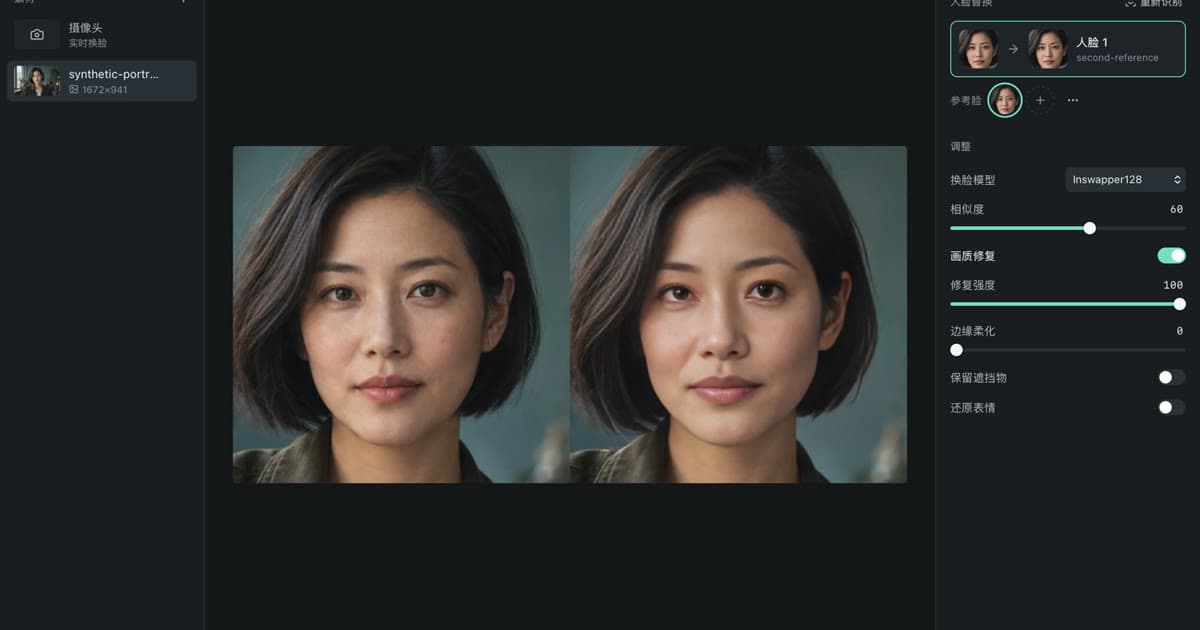
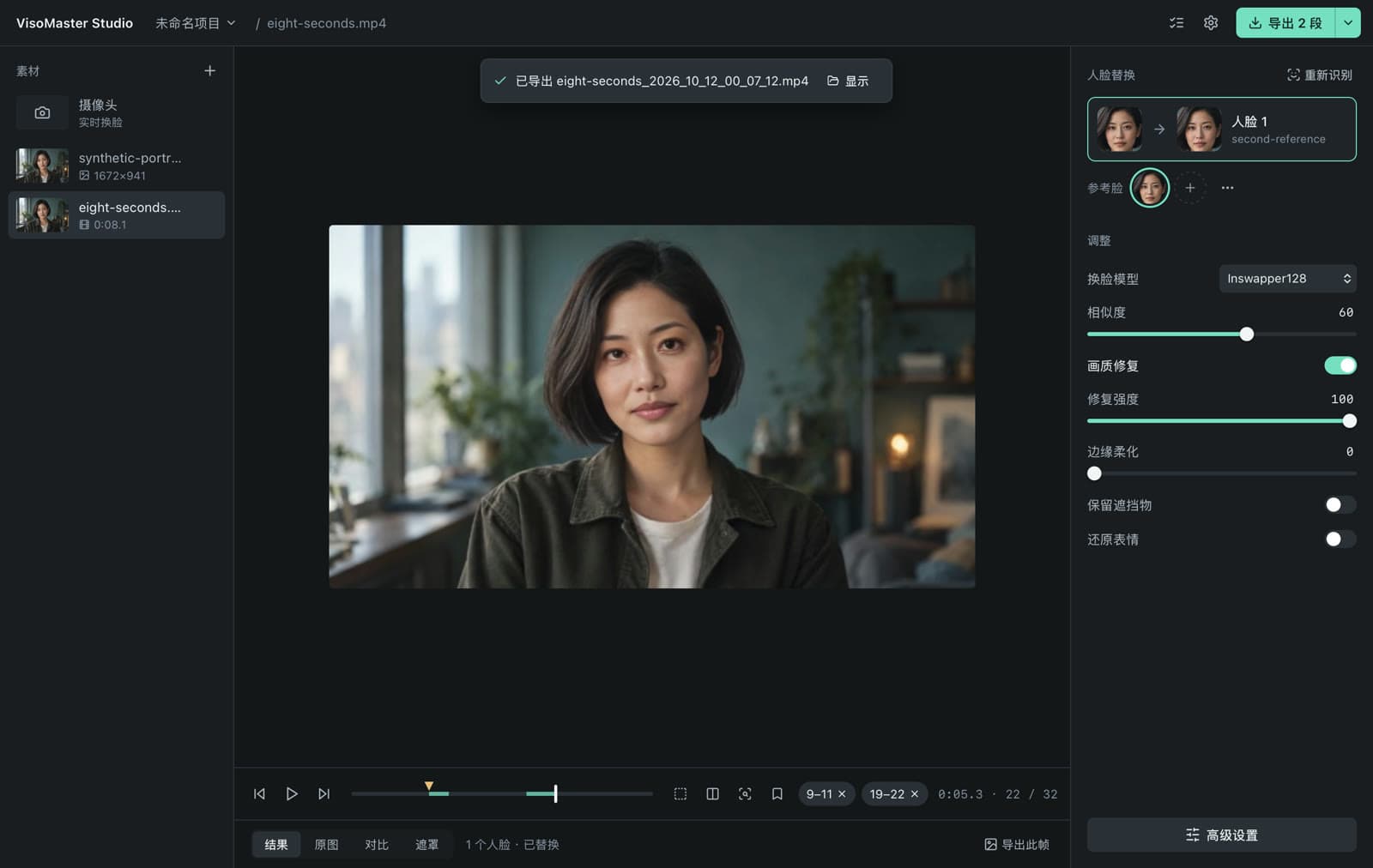
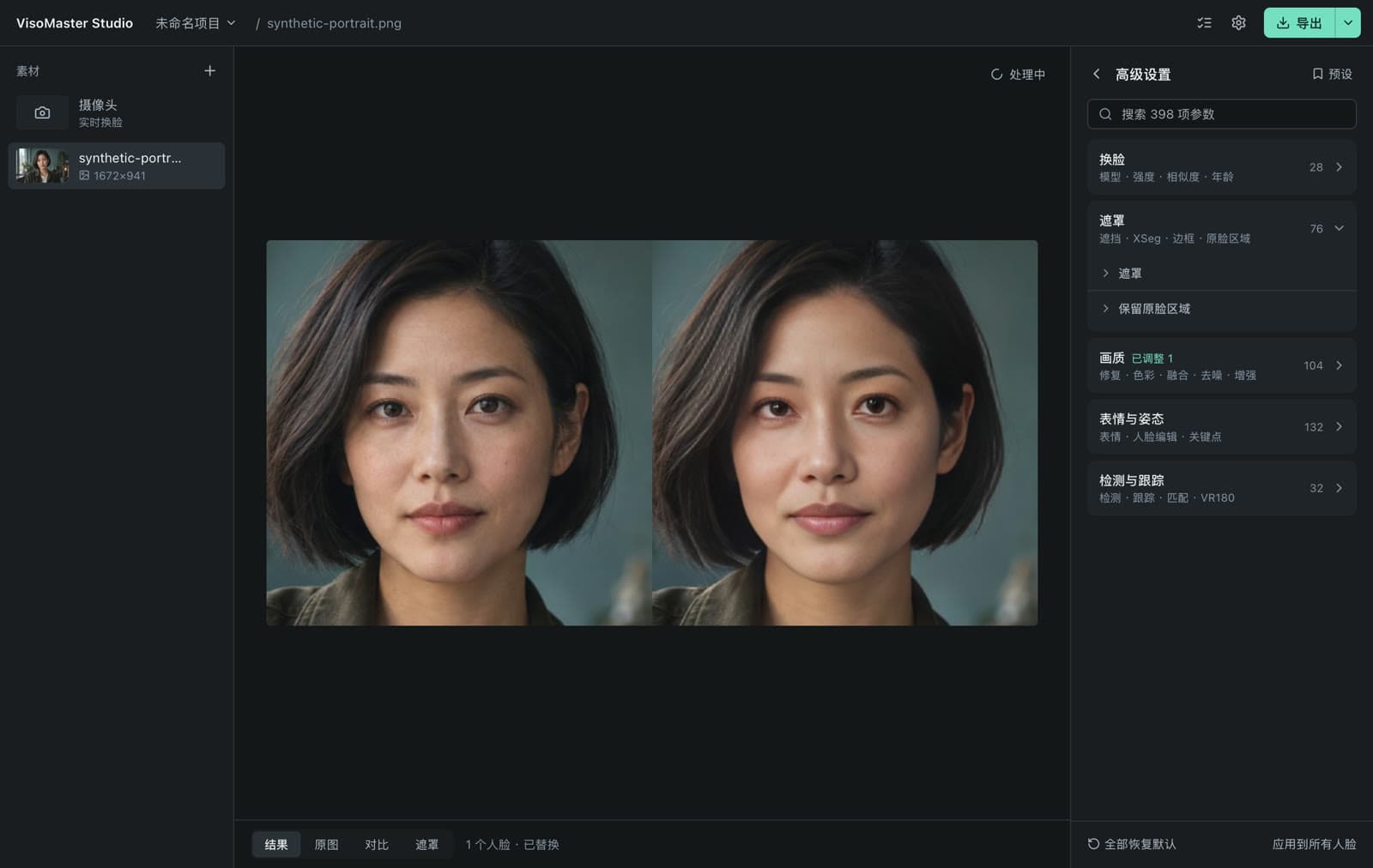
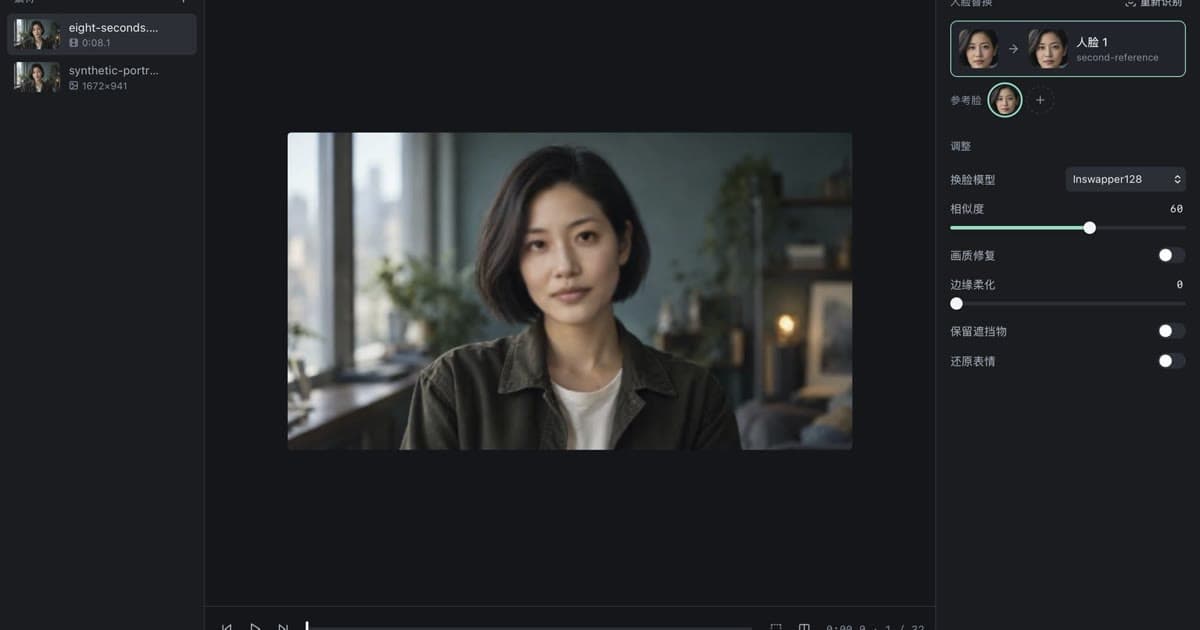
- Interface. A single desktop window (Tauri and React) talks to Fusion's processing code running as a local background process. The media list is on the left, the preview in the centre, and faces with six everyday adjustments on the right: swap model, similarity threshold, face restoration with strength, mask edge softness, keep occluders and restore expression. Everything else is in Advanced settings, grouped and searchable. The interface text is currently Chinese only.
- Installers. DMGs for Apple Silicon and Intel Macs (macOS 14 or later), a Windows CPU installer and a Windows NVIDIA portable package. All include the Python runtime and FFmpeg. The Intel Mac and Windows builds are previews.
- Models. Instead of downloading everything up front (Fusion's script fetches about 16 GB), Studio downloads a 469 MB base set on first launch and other models when a feature needs them, with SHA-256 checks and resume.
- Apple Silicon. CoreML is used by default on M-series Macs; each listed model produced an output in an automated test on such a Mac before release. If a model cannot be compiled for CoreML, Studio runs that model on the CPU instead of failing.
- Recognition models. Each swapper needs its own face-recognition embedding. Studio computes the matching one automatically for the swapper you pick.
- Video encoding. Without an NVIDIA GPU, Studio encodes video with the software H.264 encoder, because Fusion's default encoder requires NVIDIA hardware.
- Compatibility. Projects are saved in Fusion's workspace format, and the face library reads and writes VisoMaster JSON and Rope text embeddings.
What Studio does not include: Fusion's launcher and its maintenance tools, Fusion's twelve themes, TensorRT in the NVIDIA package, a DirectML or AMD build, and a Linux build. Fusion is also updated on its own schedule, so new upstream features reach Studio only when it moves to a newer Fusion version.
Side by side
| VisoMaster v0.1.6 | Fusion v3.12.3 | Studio 0.3.0 | |
|---|---|---|---|
| Interface | PySide6 (Qt) | PySide6 (Qt), English | Tauri and React single window, Chinese |
| Parameters | 201 | 427 | 427 (Advanced settings) |
| Setup | Windows NVIDIA installer or manual Conda | Portable Windows launcher or manual setup | DMG, MSI or portable 7z |
| Back ends | CUDA, TensorRT, CPU | Detected: TensorRT, CUDA, CoreML, CPU | CoreML or CPU (Mac); CUDA or CPU (Windows) |
| macOS | Not supported | Port, set up from source | Notarized DMGs |
| Models | Download script | Download script or launcher | On demand, 469 MB base |
| License and price | GPL-3.0, free | GPL-3.0, free | GPL-3.0 source; installer $19.99 |
Which one should you use
Use VisoMaster Fusion if you have a Windows PC with an NVIDIA GPU, want TensorRT, prefer an English interface, or want the newest upstream changes as soon as they are released. It is free, and its README asks users to download it only from its GitHub repository.
Use VisoMaster Studio if you are on a Mac, want an installer that needs no Python or Git setup, or prefer a single window that shows only the everyday controls until you open Advanced settings. Studio can open Fusion workspaces, so you can move a project between the two.
For a comparison with another local tool, see VisoMaster vs FaceFusion. For Mac specifics, see VisoMaster on Mac, and for setup on every platform, the installation guide.
Consent and acceptable use
Use any of these tools only with your own face or faces you have clear permission to use. Label synthetic media and follow the law where you live. VisoMaster Studio's rules are in the acceptable use policy.
FAQ
Is VisoMaster Fusion free?
Yes. Fusion is GPL-3.0 and free to download from github.com/VisoMasterFusion/VisoMaster-Fusion. VisoMaster Studio's source is also GPL-3.0; the $19.99 purchase is for the packaged installers.
Can Studio open projects made in Fusion?
Yes. Studio saves projects in Fusion's workspace format, so a workspace can be opened in either app.
Does Fusion run on a Mac without Studio?
Fusion v3.12.3 includes a macOS port that runs on the CPU or CoreML. You set it up yourself with Homebrew FFmpeg, a Python environment and a model download script. Its documentation says the port was developed on an Intel Mac and the Apple Silicon path was untested.
Are VisoMaster Studio and Fusion made by the same people?
No. Fusion is maintained by its own community and credits the original VisoMaster authors. VisoMaster Studio is a separate project built on Fusion's published code.
Get the installers at visomaster.studio/download.
Author

Categories
More Posts
VisoMaster vs FaceFusion: Which Local Face Swap Tool?
VisoMaster Studio vs FaceFusion compared on interface, Mac and Windows setup, swap models, restorers, video workflow and hardware support.
VisoMaster on Mac: Apple Silicon and Intel Setup Guide
Install and run VisoMaster Studio on a Mac: which DMG to pick, macOS 14, CoreML or CPU processing, first model download, data folders and logs.
DeepFaceLive DFM Models: What They Are and How to Use Them
What a DeepFaceLive .dfm model is, how DeepFaceLab and DeepFaceLive differ, and how to import and use .dfm files in VisoMaster Studio on Mac or Windows.